
|
Hello, all. Just a quick one today. If you're a working professional and have never heard of Stephen Covey's 'The 7 Habits of Highly Effective People', please comment below with the location of the rock you've been living under for years. (just kidding!) Otherwise, take a look at the quick video I made regarding his take on the quadrants of time. Feel free to use this video in your relevant training. All we ask is to be cited where the video is played. For a copy of the real deal (in your choice of format), click HERE. Enjoy! And go BE the YOND. Hello, all! Just a quick note this time with some exciting news! eLearning Prose has been rebranded and has expanded!
We are proud to go live under our new brand, Training Outlaws! Hello, all. I'm proud to announce that I've started a new podcast! And you guessed it, it's all about learning and development and everything that revolves around that industry. We'll talk about everything from traditional training methods to those that lay on the horizon. Initially, it'll be focused on my time at the Training 2019 Conference and Expo in Orlando, Florida. However, we'll extend the topics to run the gamut of all things we as trainers face on a daily basis. But don't worry, this podcast won't be preachy, it'll address the practical things we need to do, fix, address, etc. in the widely unknown world of training. So what are you waiting for? Feel the Learn. Because training, is a workout.  Listen to EPISODE 0 now.
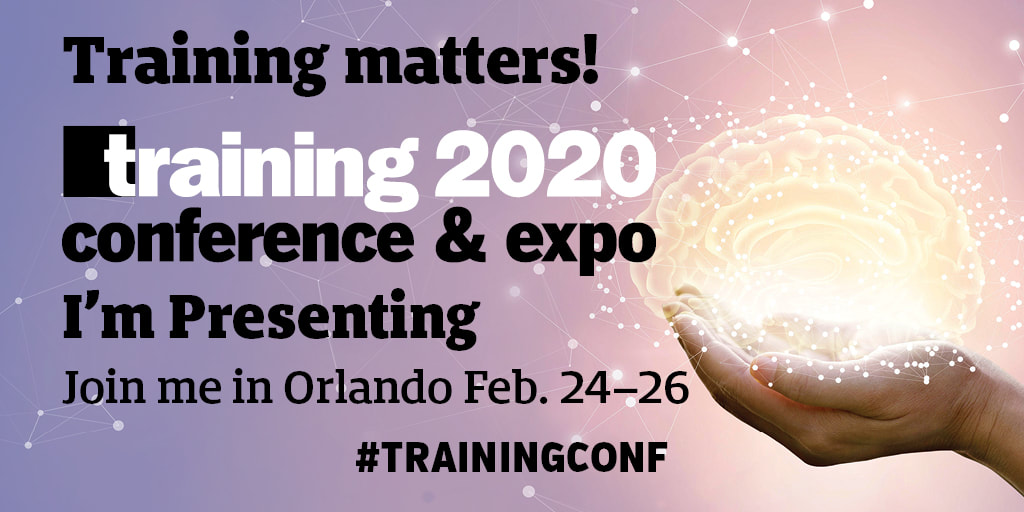
Hello, all. Just a quick post to share some exciting news! I'll be speaking at the Training 2019 Conference & Expo in Orlando, Florida on February 27th! 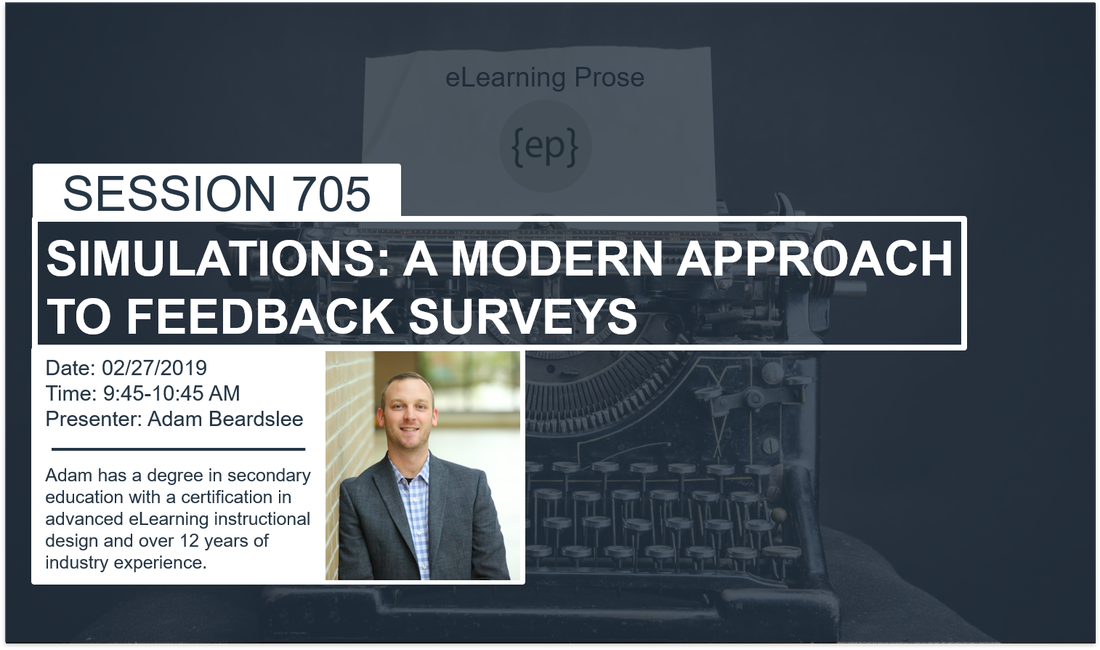 If you'd like to attend, save $200 by using the code in the image below. See you there, I hope!  Until next time, Cadets. Go BE the YOND!
Hello, all. If you’re anything like me, getting excited about any Captivate release is a regular occurrence. However, with the latest major version of the software, Captivate 2019 proves to make your job easier, refine your skills as an educator/designer/developer/etc., and no doubt, wow your audience. In this post I’ll be highlighting the top 5 (among many others) new features and enhancements, selected by me as those I see immediately impacting my work. My top 5 are ordered by the amount of impact they will add to my work. 1: 360° Immersion (New feature) – I doubt I have to inform you of the increasing footprint that the 360° media and Virtual Reality (VR) technologies are making across numerous industries, and I am happy to say that Adobe has hit another home run with adding this new feature to the 2019 release of Captivate. I am incredibly excited about being able to immerse learners into a 360° environment. Even more so than the VR publishing option. To clarify, I am not saying I dislike the VR feature (truth is, I love it!), but rather, that the requirement to use a VR headset is not a readily available resource in my neck of the woods – creating training interactions for the corporate masses. So, I will highlight the 360° media element as my top choice of the five. A few notable feature highlights are below:
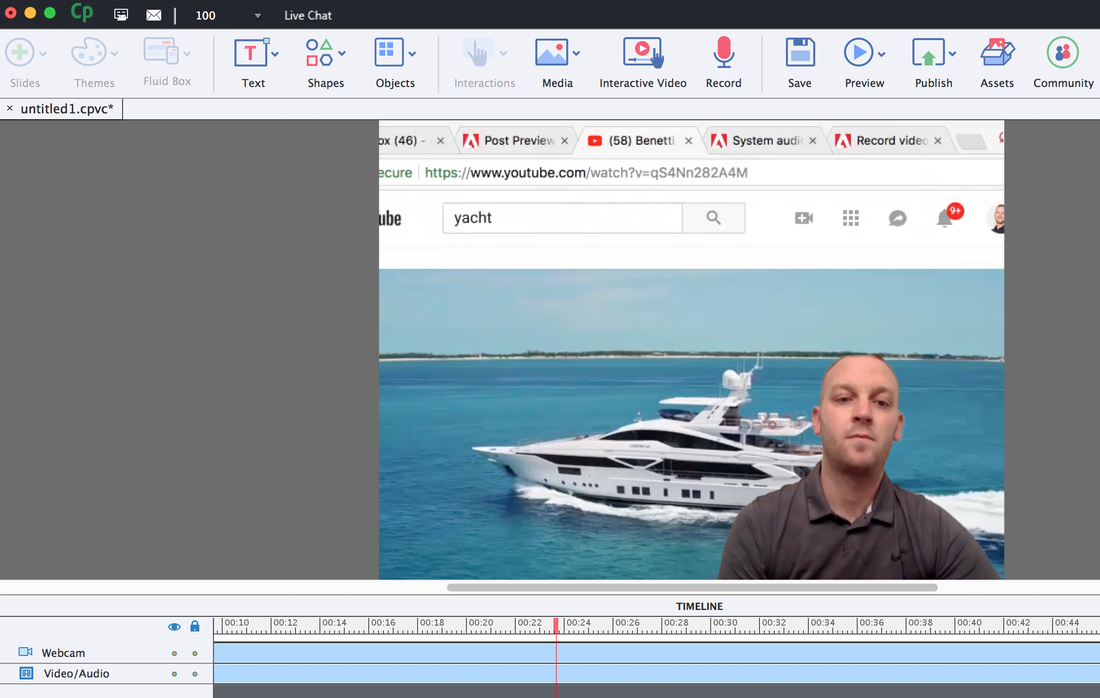
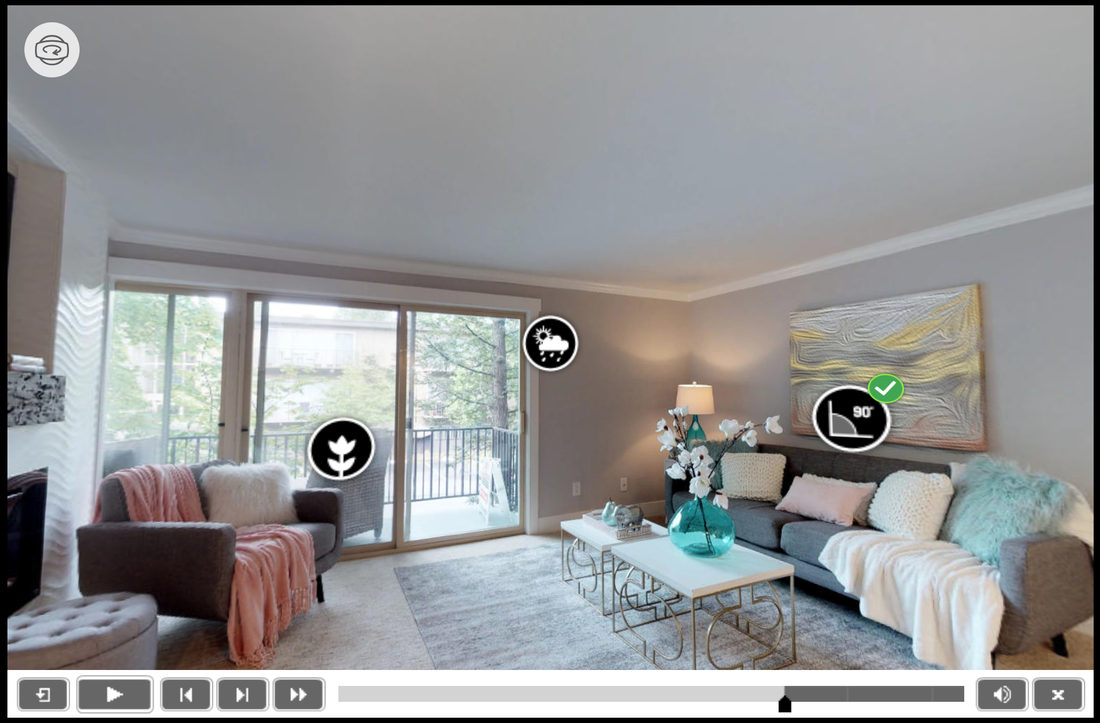 2: Simultaneous Webcam and Screen Recording – As my efforts continue to involve video software (Premiere Pro, Presenter, Camtasia, etc.), so too does the burden of exporting, rendering, and syncing assets to one another. I am very excited about this feature for its ability to help streamline media-rich projects, which in our world makes a drastic impact on ROI. A few additional feature notes are detailed below:
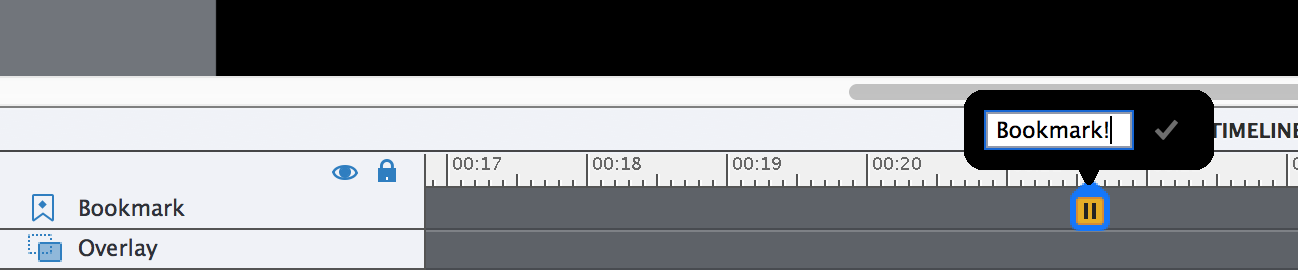
 3: Interactive Videos (Enhancement) – While the interactive video feature is not new, the folks at Adobe have added a couple rather impressive tools to the existing feature. See the bullets below for an overview.
 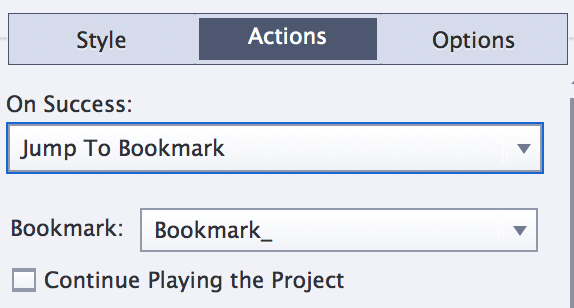 4: Live Device Preview (New Feature) – With so many people in today’s workforce working remotely, and traveling, the need is growing for us to develop learning experiences that that are optimized for viewing on a variety of devices. From desktop and laptop, to tablet and smartphone, devices come in all shapes and sizes. That said, Captivate 2019 now allows for live device previews. See the bullets below for more details.
 5: Resources on Project-selection Screen – One of the first things I noticed when I cracked open Captivate 2019 was the addition of a new tab on the project selection screen. Rather than seeing ‘Recent’ and ‘New’ as my only choices, I was impressed when I clicked on the newly added ‘Resources’ tab.
 In summary, Captivate 2019 is a must get for the modern trainer, instructional designer, and beyond!
Until next time, Cadets! Go be the YOND! Hello, everyone! Today, I want to share a link to something pretty exciting to me - a podcast that I was interviewed on! Several months ago, I discovered the Roundabout: Creative Chaos podcast that is created by, for, and with, creative folks ranging from professional artists to humble authors (guilty as charged), and everything in between. As I listened to episode after episode, I began to realize that there are countless people out there whose lives heavily revolve around being creative, professionals and hobbyists alike! So if you are a Creative, I promise you’ll enjoy the Roundabout: Creative Chaos podcast. Click the image below to listen to my episode, but don’t stop there…you can subscribe on any major podcast app (iTunes, Overcast, etc.) so you never miss another creative dive into a creative mind! Until next time, go BE the YOND!  Hello, everyone! With the holiday's officially upon us, and the countdown to Christmas underway (at least in my house!), I thought now would be the perfect time to talk about a special little surprise found in Captivate. And quite fittingly enough, it's called GIFT, or General Import Format Technology to be precise. But me? I'm sticking with GIFT. That said, let's take a quick look at the words that define the acronym to get a better understanding for what it can do for your eLearning project. GENERAL - Think of this word as 'Universal', meaning it is generally recognizable by most programs. IMPORT - A great techie word that means I can bring something pre-existing into my project. FORMAT - Like formatting you've done in Microsoft Word, except less alignment and more symbols. TECHNOLOGY - Electronic. Hmm, maybe they just needed another word because GIF was taken? In a nutshell, GIFT formatting allows for the incredibly simple addition of quiz questions into your project. Yes, simpler than what you may be thinking! (NOTE: While this blog pairs GIFT formatting to Captivate, it is by no means the only program with which GIFT can be used; some learning management systems allow the use of the GIFT formatting as well.) So, how does it differ from the typical quiz layout you've likely seen hundreds of times? To answer that, let's take a look at what some GIFT-formatted questions look like. MULTIPLE CHOICE EXAMPLE What is the largest planet in our Solar System?{ ~Earth#Sorry, Earth is not the largest plant in our Solar System =Jupiter#Correct! Jupiter is truly massive! ~Pluto#Sorry, Pluto is incorrect. In fact, Pluto is no longer even recognized as a planet. ~The Sun#Sorry, that’s incorrect. While the sun is in fact the largest celestial body in the Solar System, our Sun is a star, not a planet.} TRUE/FALSE EXAMPLE Jupiter is the largest planet in our Solar System.{TRUE#Wrong, that's incorrect.#Right, well done!} MULTIPLE ANSWER What are the two largest planets in our Solar System? ~Earth#Sorry, Earth is not one of the two largest planets in our Solar System. %50%Jupiter#Good job! Jupiter is the largest planet in our Solar System. ~Mars#Sorry, Mars is not one of the two largest planets in our solar System. %50%Saturn#Good job! Saturn is the second largest planet in our Solar System.} As you can see, GIFT-formatted quizzes rely on symbols, like the equal sign (=) to identify correct answers, the tilde (~) to mark incorrect answers, the percent sign (%) to note partial credit, and the pound sign (# ...yes, that is a pound sign folks) that precedes unique feedback for each answer choice. What you don't see, are question numbers, lettered answer choices, and feedback appearing on a different lines than the answer choice. So now that we know what GIFT Formatting is, let's see what Captivate can do with a file formatted in this fashion.
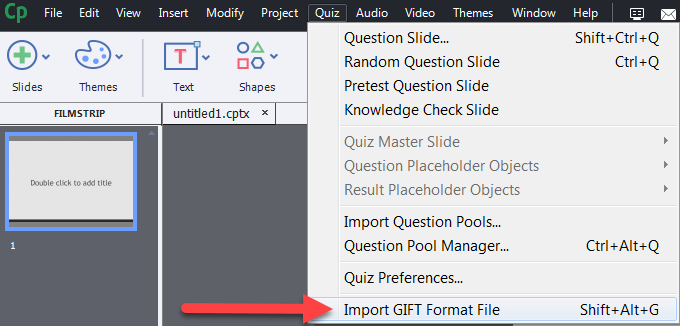
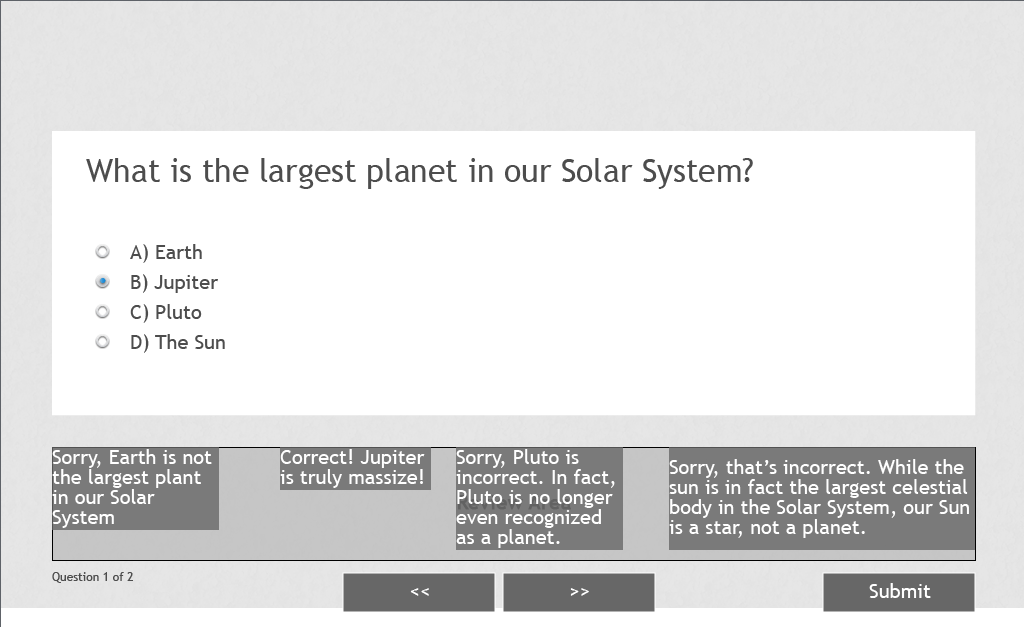
From personal experience in the pain-staking process of writing quizzes over and over multiple times, the GIFT Import feature will certainly save you time, and most likely frustration to boot. To learn more about GIFT formatting, click HERE. Until next time folks, go BE the YOND! For this post I'll be talking about video games and their impact on instructional design. This idea came to me earlier today while playing Mario Kart Wii with my son. At 36, I'm three decades older than Avery, but as I watched him play, I couldn't help but find a new appreciation for the Mario Kart franchise that I, too, played when I was younger, in that it serves as a great generational equalizer. You may have another game that allows you to relate to younger ones just as I have with my six year old. Watching him have so much fun with a game I also love got me thinking about how this phenomenon can be applied in the work place. And there's no mistake about it, it is a phenomenon. As a father, I'm in uncharted waters in my family in exploring this method of connecting with Avery. When I was his age, video games were just coming to market (The Nintendo Entertainment System, for one). And sure, my dad could play the games with me, but he didn't have the nostalgic privilege of reacquainting himself with characters he met as a child. The same is true for today's workforce. With millennials on the rise in the workplace, I would be a fool not to consider ways to lessen the generational gap when developing corporate training modules. Take a look at the image below (from Mario Kart Wii) that players are presented with after a Grand Prix - a series of four cumulatively scored races - and try to pick out the instructional design concepts that are in play on this screen alone. Then, read on to learn my take on it. 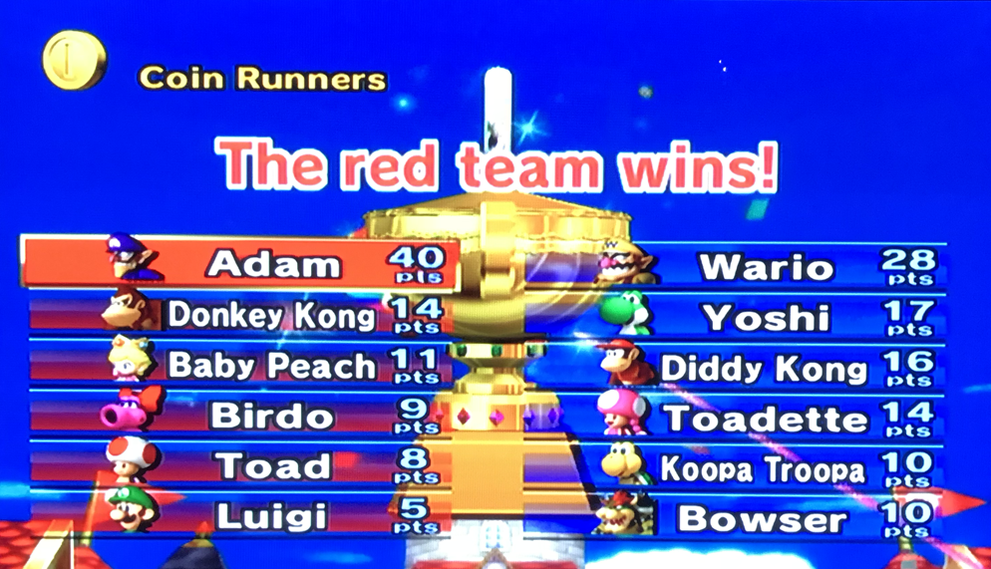 Here's what I see when I look at this image:
Until next time, go BE the YOND! The Question: Just how fast do advanced actions execute themselves? The Answer: At times, I’ve found myself pondering that same question. And to find the answer, I set out to test it in the real world. My process, and findings are below. First, I have no doubt that executing a single advanced action would happen too quickly to measure. So, I decided to execute a lengthy list of actions (60 in all, thus the aptly named title of this blog).
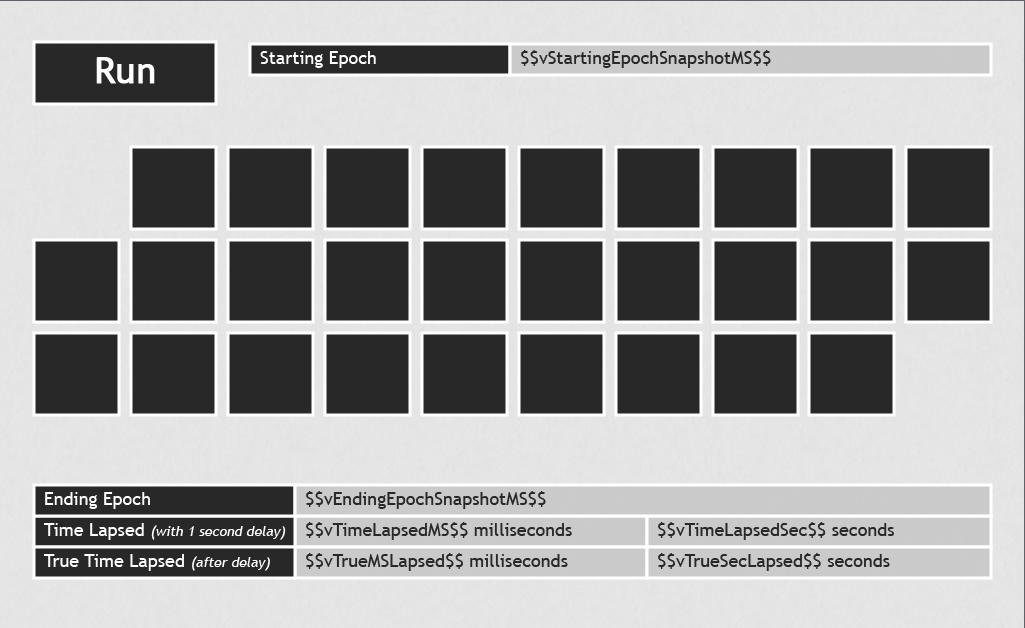
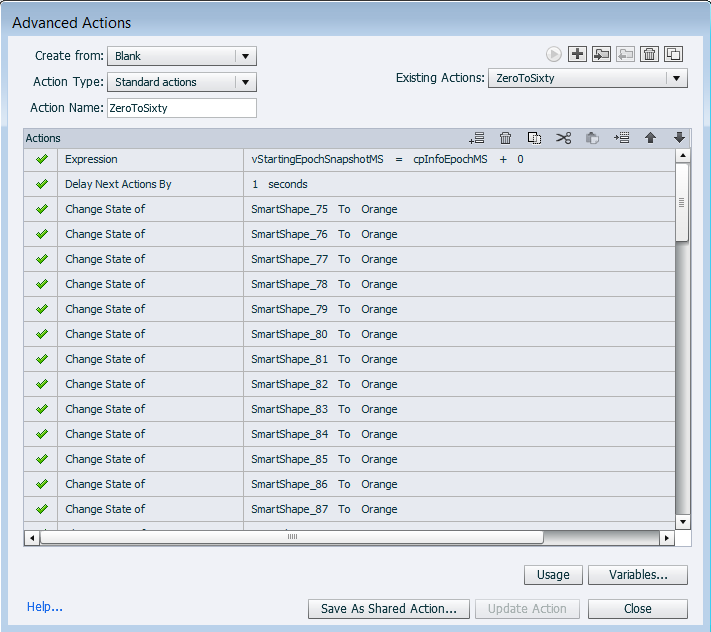
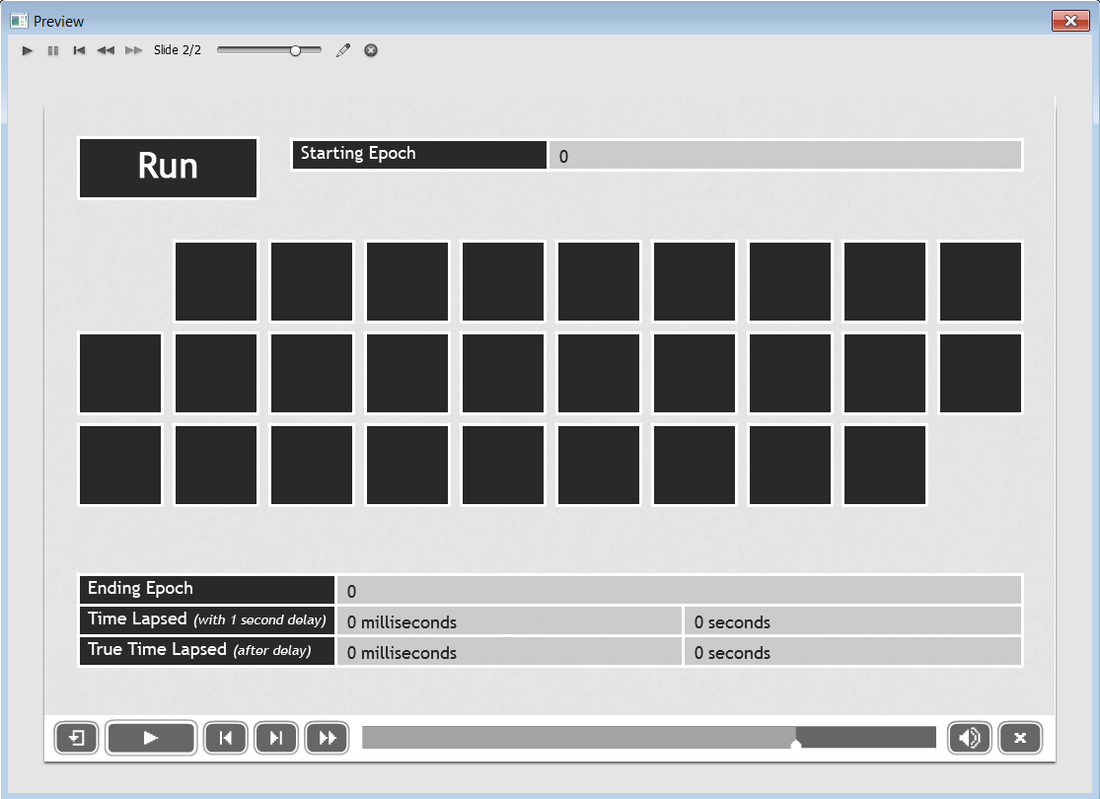
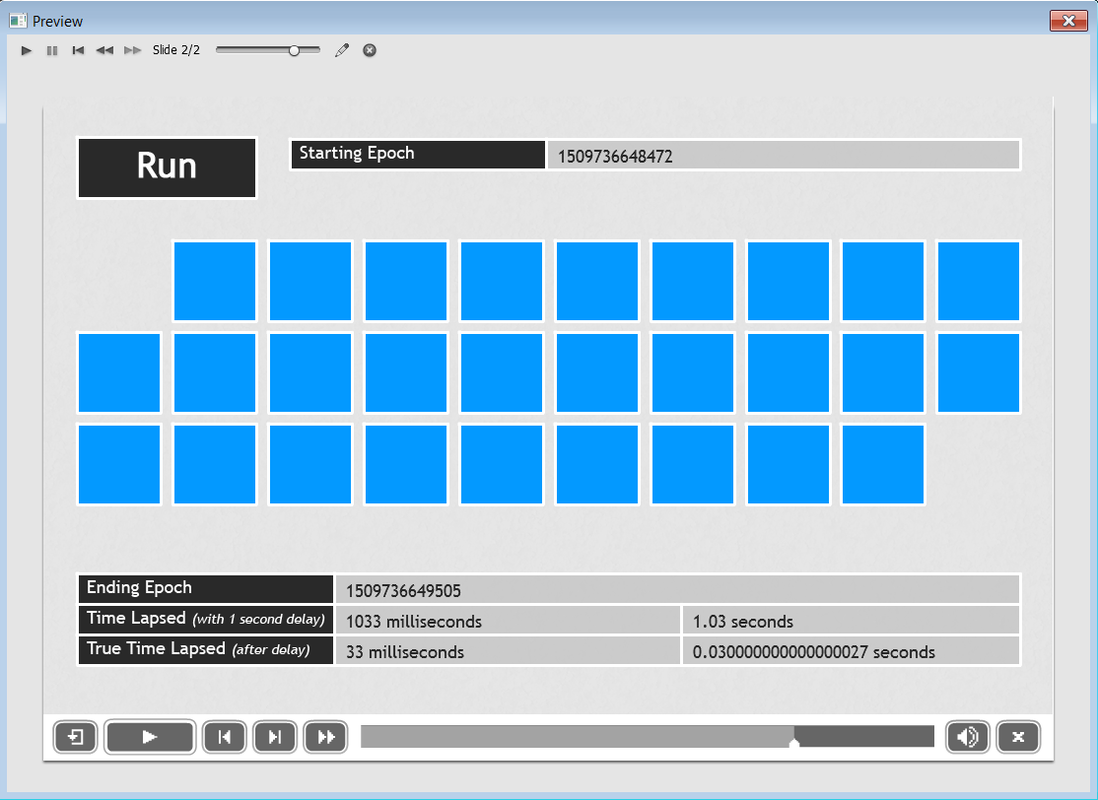 The Debrief: For my first test to execute 60 consecutive advanced actions, it took 37 milliseconds (0.037 seconds) not including the 1 second delay, which I added to allow the passage of enough time to register in the “True Time Lapsed” indicator boxes.
I did a total of 10 identical tests, for which there was a slight variance, but the stats for all 10 are as follows:
The Moral of this Story: When working with a lengthy list of advanced actions, there is no need to worry about a delay in user experience in order for the actions to fully execute. However, the order in which advanced actions are written/placed is incredibly important, because actions execute in a linear fashion (from top, straight down to bottom). Additionally, placing actions in a cohesive order will undoubtedly make it easier for others (and future you) to read and understand them at a later date. I hope this was helpful, or at least worth pondering. Until next time folks! Go BE the YOND! |
 RSS Feed
